
What is Upwork?
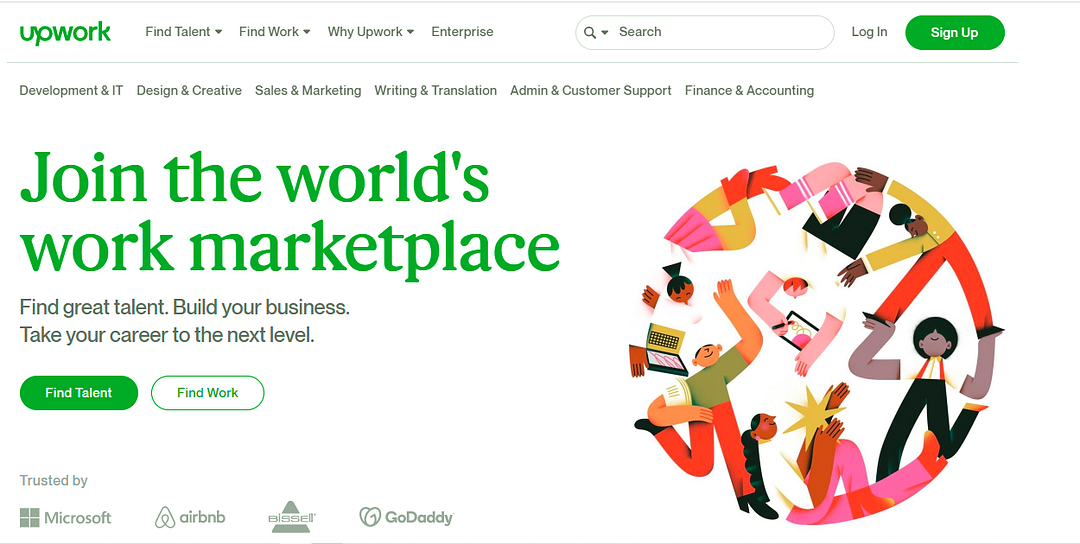
Upwork, formerly Elance and oDesk, is a popular marketplace platform much like Fiverr. It’s a marketplace for freelancers looking to get remote digital working opportunities e.g writing, graphic design, web development etc. The platform connects freelancers with projects, eases communication between clients and freelancers and always makes freelancers money.
The platform says it has over 12 million registered freelancers and more than 5 million registered clients. It posts 3 million jobs annually and does $1 billion worth of work on an annual basis.
A newbie to freelancing? You can benefit by racking up valuable work experience. Beware though, the site is full of new workers willing to take work for dirt cheap, which can impact your earning potential.
Upwork makes it easier for professionals and amateurs alike to find jobs and make money but think carefully about which gigs you want to apply for. If you’re ready to put in the work you’ll make money as a freelancer and better still you’ll make money on Upwork as a freelancer.
How can I make money on Upwork?
SET UP AN HONEST AND DETAILED PROFILE
First step to make money on Upwork is your profile. You can’t get work from clients if you don’t sell yourself adequately. Think of your profile as a general résumé to show prospective employers. Fill out your skills and state the type of job you’re open to doing, remember not to oversell yourself as that can come back to impact you negatively on the platform. Getting hired for jobs you can’t deliver on can impact your account on Upwork negatively and in some cases get you booted off. So be honest about your skill level and expertise.
Presentation is key, use a good headshot and add a detailed description of your background and expertise. Including links to a portfolio or work samples relevant to your field will give your profile credibility.
Also fill out your education, hours per week you can realistically work, location and preferred rate. Always make use of Upwork’s time tracker which is part of its desktop app. This indicates the time spent on any given job. For fixed-hour work, negotiate payment based on milestones to ensure that you get part payment for completing certain parts of the project.
Not sure what to charge yet? Easy, just research the average rate of other freelancers in your field on Upwork who have a similar experience.
You can also track your cash flow, cards, and bank accounts at a glance. Upwork account profiles will typically get approval within 24 hours, as long as it’s verifiable and accurate.
CHOOSING MEMBERSHIP PLAN
The Upwork platform offers two membership plans for freelancers: Basic and Plus. Your plan can impact how you make money on Upwork
Basic
This plan is free but limited, you’ll have to pay to connect with potential clients. On the basic plan, freelancers pay $0.15 for each “Connect” they make on the site; the platform’s internal tokens, which are used to submit proposals to clients, can be rolled over (up to 140 Connects each month).
If someone reaches out to you, you don’t have to use any Connects. Clients reaching out to you organically all depends on how detailed and inviting your profile looks. You’re more likely to bag job offers from potential clients that way. Highlighting your best work or specific experiences that make you a suitable candidate for the job can help you stand out. The basic plan also includes payment protection for hourly and project-based payments.
Plus
For $14.99 a month you get everything in the basic plan and unlimited access to features such as:
- 70 Connects per month.
- See competitors bid for a job.
- Keep earnings confidential.
- Customize your profile URL.
- Always active profile.
CONNECT WITH LEGIT EMPLOYERS
When it comes to connecting with legitimate employers, you can use your Connects to submit proposals for jobs in skillset. Things to include in your proposals
- an introductory letter,
- your desired fee,
- answers to questions the client included in the posting.
- samples of any work you think would be relevant.
Before going for a gig, make sure to get a sense of the potential employer’s reputation. The Better Business Bureau, Glassdoor and a search for news coverage of the employer on Google are good places to start your research.
Always keep communication and payments within the site. Documentation on both sides discourages scams, as clients will be held accountable for making shady payment or work requests or making claims about your work without in-site proof.
START MAKING MONEY ON UPWORK
As you make money on Upwork, keep in mind that Upwork receives a percentage of earnings on the platform. It’s fee structure is based on the total amount you bill with a client over time, so the more you work with a client, the smaller the cut taken. You can expect Upwork to take:
- 20% for the first $500 you bill a client.
- 10% for total billings with a client between $500.01 and $10,000.
- 5% for total billings with a client that exceed $10,000.
Payments on projects can occur either Hourly or at Fixed rates. Upwork’s fees are the same for both.
Hourly projects
Hourly projects are logged in the Work Diary in Upwork’s desktop app. With this function on, the app keeps detailed records of your progress on any given project. It tracks your time in 10-minute billing cycles. It logs everything, keystrokes, scrolling, clicks and active windows. It also takes a screenshot periodically.
You can also turn the feature off and choose to do it manually instead, but using the tool helps you qualify for an Upwork service called Hourly Protection. This service ensures that you’re paid for work you can prove you completed, even if a client refuses.
Fixed-price projects
This payment method is a little more straightforward. The employer contracting you sets aside a certain amount of money while entering the agreement. The employer also sets milestones, concrete deliverables before the finished job. Payment comes from some or all of the deposit once you hit these milestones and the rest is paid on completion.
You can receive secure payments via PayPal, direct deposit or wire transfer. Hourly projects are billed weekly. Payment usually happens after client reviews the work, 10 days after the billing period ends. If a project gets dropped before it’s finished, that’s when Hourly Protection and milestones come in handy. Upwork has a dispute process for when you feel you were treated unfairly. You can begin a dispute if the client fails to pay for a milestone or refuses to pay for what you think is completed work.
As an employer who wants to hire off Upwork, all you have to do is finish registration on Upwork, create a job posting and screen the slew of freelancers that apply, pick the best and you’re good to go. But be careful, the sheer size of freelancers bidding for a particular project at any given time makes it very difficult to separate good candidates from the time wasters.
Also as a freelancer, finding good paying projects on Upwork can be an exhausting experience. You need to not only outbid talented competition, but also contest with freelancers who are willing to charge dit cheap rates.
As an employer, realistic pricing will attract great talent. Good work can’t be hired at $2-$5 per hour rates. Pricing a job too low will attract poor quality freelancers and ‘spambots’ that’ll bombard potential jobs with low bids and just create a bad experience.
Describe projects in detail, including skill requirements and required hours to complete said job. Categorize it accurately. This will prevent you from wasting valuable time sifting through large numbers of unwanted and irrelevant proposals.
As a freelancer…
Don’t undersell yourself (or offer free work) to attract jobs, even when you’re just starting out.
Calculate your hourly rate (or price-per-job) accurately using a rate calculator, so that it reflects the talent you bring to the table and adequately covers your costs.
Don’t just compete on price, show potential clients that time and resources that you spend on each aspect of a job and the value that you provide. Trust and respect go a long way in seal deals and getting jobs. Don’t block yourself from applying for jobs where the client budget is lower than your price. Sometimes, clients do not know what the budget should be for a job but are happy to pay for good talent.
HOW TO FIND GOOD FREELANCERS ON UPWORK
Getting good talent on any freelance platform is a time consuming job, it’s the same way on Upwork.
There are scammers and low quality applicants and employers often complain about having to sift through countless spam applications and subpar candidates in order to find great talent.
However, it is not impossible to hire great talent on Upwork.
One common mistake clients make is not writing detailed and clear job descriptions. This is most essential to attract even moderately fit applicants for your job. Map out objectives for the project, state any special tools/skills required and state the level of experience you’re looking for. Also include details like results expected in the form of deliverables and deadlines.
When making descriptions for your project add unique identifiers for applicants to follow in order to weed out the spammers and get the candidates that took time to read the job description. You can get them to include a phrase in their cover letter or ask an obscure question that the freelancer needs to answer. This will let you know who tailored their proposal to your job rather than submitting generic cover letters.
Study each applicant’s experience, work history, feedback from other clients, and references to understand if they would be a good fit for your project. Be sure to hold video interviews on Skype or Google Hangouts. Non-verbal cues during a video chat are invaluable when trying to separate a good hire from a bad one.
In case a freelancer is not comfortable being interviewed (maybe it’s their first interaction with you), then exchange messages through the Upwork Messenger to clarify all details before hiring. Upwork Messenger allows real time communication. Since all conversation is achieved within the system, it creates a sort of paper trail for both parties, which could come in handy in case of dispute resolution.
If this is too much work for you, then consider getting on Upwork Pro. It’s a new paid premium service with vetted professionals on the platform and is great for employers who don’t want to go through the exhaustive process of finding great talent.
In Upwork’s Pro version, freelancers are tested and interviewed in order to qualify based on technical skills as well as behaviorals. All to evaluate communication skills, teamwork and professionalism to determine if they are fit for a role.
As a client, when you sign up for Pro, you get an account manager who works with you to understand the requirements of your job including specific technical expertise, budget, etc.
The manager posts your job, screens freelancers and shortlists them for you to conveniently pick from. These shortlisted applicants submit proposals. You can then sort through, interview them and finally hire the best candidate.
All these services come at a price of $149 per month and a client service fee of 10% on all freelancer or project payments..
HOW TO GET GREAT JOBS ON UPWORK
While we all know that when applying for a job, you need to write a top-notch proposal that attracts a client. Most Upwork proposals will require you answer one or more ‘additional questions’ after you write your Cover Letter. Treat those questions aqs priority, they can make or break your proposal. They are the first thing the client gets to see when he receives your proposal, the cover letter comes last.
Always write a customised proposal and cover letter that addresses the points made by the client. Never be generic. Understanding the needs of a client first and foremost can put you way ahead of the competition, be sure to always have tailored responses. Be sure to have a professional looking profile, good profile picture, good bio etc all this prop up your profile and give you a good chance of standing out.
Your hourly rates need to be competitive, but don’t sell yourself cheap. Research other freelancer profiles to find out hourly rates for your expertise. Instead of searching for jobs through keywords and filters, skim through the headlines of all the jobs in your category. When you come across a few headlines that are promising, research. Keyword filters don’t work very well on Upwork and sometimes clients don’t categorise good projects accurately.
Upwork has qualification tests you can take and add to your profile to show how good you are at a skill. Take tests relevant to your skill and sure to impress potential clients. Also be sure to research your client to be sure who you’re doing business with, very important. Interview clients as they interview you to ensure there’s an understanding. If you think it’s not going to be the right match, don’t take the project.
HOW TO COMPLETE A PROJECT SUCCESSFULLY
Clear communication coupled with effective collaboration is the answer to most problems that occur when executing a project. Upwork’s desktop app design encourages collaboration between client and freelancer. Both sides can use it to send messages back and forth.
However, in the past Upwork has penalised accounts for frequent messaging. So it’s better to get on a call and have a detailed conversation if parts of the project aren’t clear. Be sure to note in the Upwork messenger that you are taking the conversation offline.
Every and any changes in project deadline, details etc must be noted in Upwork messenger. Record keeping is important. This is essential for dispute resolution.
Despite all these precautions, sometimes disputes occur. Common sources of dispute on Upwork include if a freelancer overbills more than necessary to complete a job or has submitted subpar quality of work.
In these cases, the client has till the end of the review period (about a week) to communicate with the freelancer and resolve issues or file the dispute. For hourly jobs, disputes must be based on hourly billing, not overall quality of the work.
For fixed price jobs, rules say that only freelancers can file disputes (for the release of the escrowed funds). However, that does not mean you can’t talk to your freelancer about a refund. Be sure to have an update schedule with your freelancer. Receive updates, do quality control and give feedback to the freelancer if improvements are needed all while the project is underway, it saves everyone some time.
CONCLUSION
It’s never been easier to make money online and make money as a freelancer as it is today. The freelancer/gig economy has been in an upwards trend and shows no signs of stopping. Therefore, Upscale is still worth it and very much so because many companies find that it’s profitable to hire through online platforms like Upwork and Fiverr. They have access to a wide talent pool of freelancers and remote workers. Saving them additional costs associated with hiring on-site workers e.g, office space, work stations, insurance, etc.
With the upwards trending of remote work, there has never been a better time to tap into the freelancer economy Sites like Upwork can make freelancers money as well as make clients money as well. Win-win. Now, go make money on Upwork.



0 Comments